 Koru
KoruNotion job application tracker: use it for the pipeline, not the proof
A practical Notion job application tracker setup, with the fields worth keeping, the fields to skip, and the career evidence you should track somewhere else.
A Notion job application tracker works well if you use it for pipeline admin: where you applied, who you spoke to, what the next step is, and when to follow up. Keep it lean. A tracker with 9 useful fields beats a beautiful 30-property template you stop updating after one week.
The catch is that a job application tracker is not a career evidence system. It tells you that an interview is scheduled. It does not, by itself, help you remember the project where you handled conflict, the metric behind your strongest resume bullet, or the reason a hiring manager should believe your answer. For that, pair the tracker with a small career journal or story bank.
So the short answer is: use Notion for the application pipeline, but do not ask it to do the whole job search. Track opportunities in Notion. Track proof separately, then connect the two when a role becomes serious.
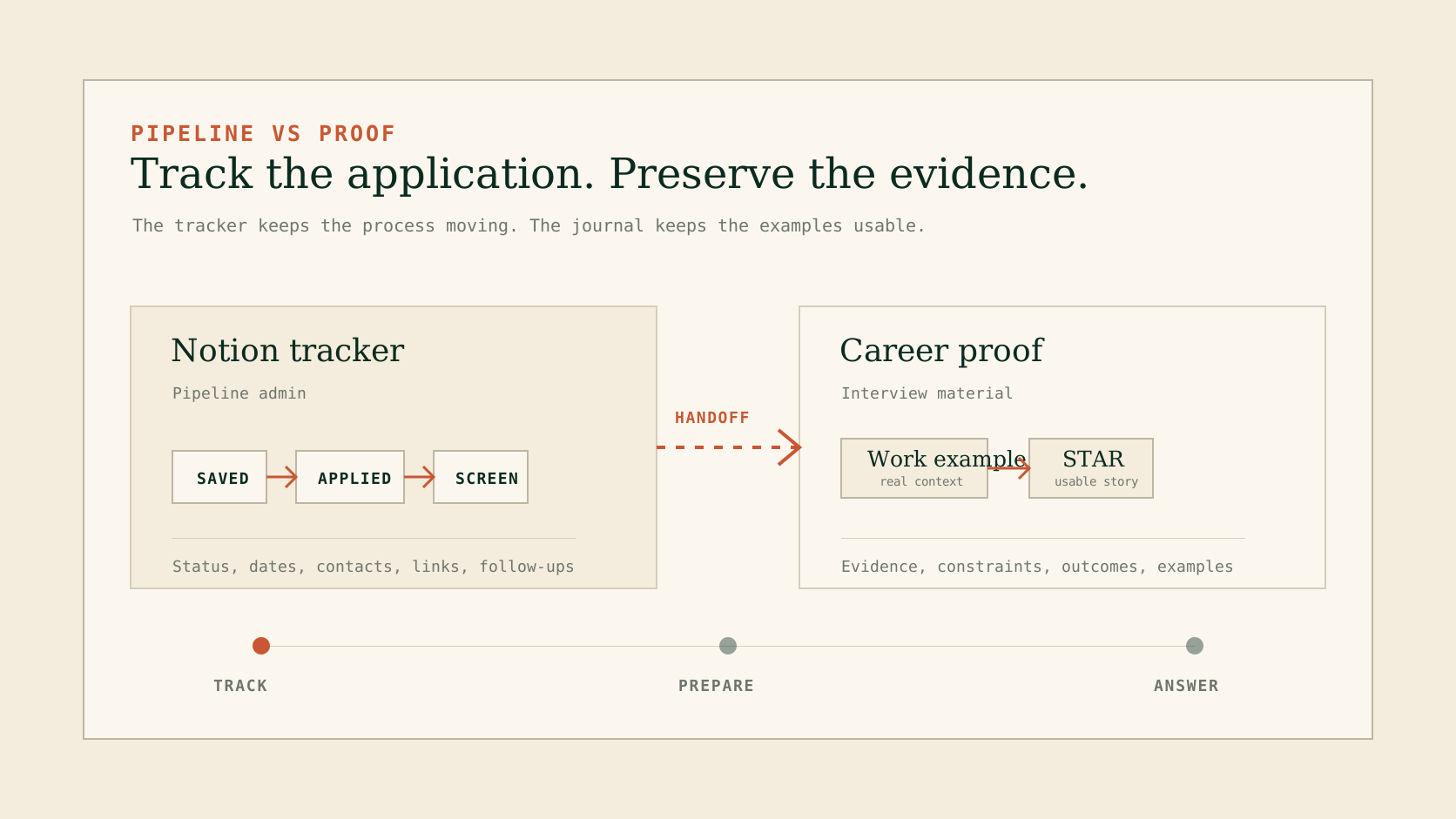
Use Notion to keep the search moving. Use a proof layer to keep the examples you will need when a role turns into a conversation.
The lean tracker setup
That flexibility is useful, but it can also tempt you into building a system that looks organized and feels heavy. Start with this:
| Field | Notion property | Why it exists | Example |
|---|---|---|---|
| Company | Title or text | The account you are tracking. | Acme Analytics |
| Role | Text | The specific position, not just the company. | Customer Success Manager |
| Link | URL | The job post or saved listing. | careers.example.com/csm |
| Status | Status | The current pipeline stage. | Saved, applied, screen, interview, offer, closed |
| Next step | Text | The action you owe or expect. | Send portfolio note to recruiter |
| Next date | Date | The follow-up or interview date. | 2026-05-18 |
| Contact | Text or email | The person attached to the role. | Dana, recruiter |
| Fit note | Text | Why this role is or is not worth energy. | Strong customer-facing ops fit |
| Proof to prepare | Text | The career evidence you need before the next conversation. | Renewal story, cross-team conflict, onboarding metric |
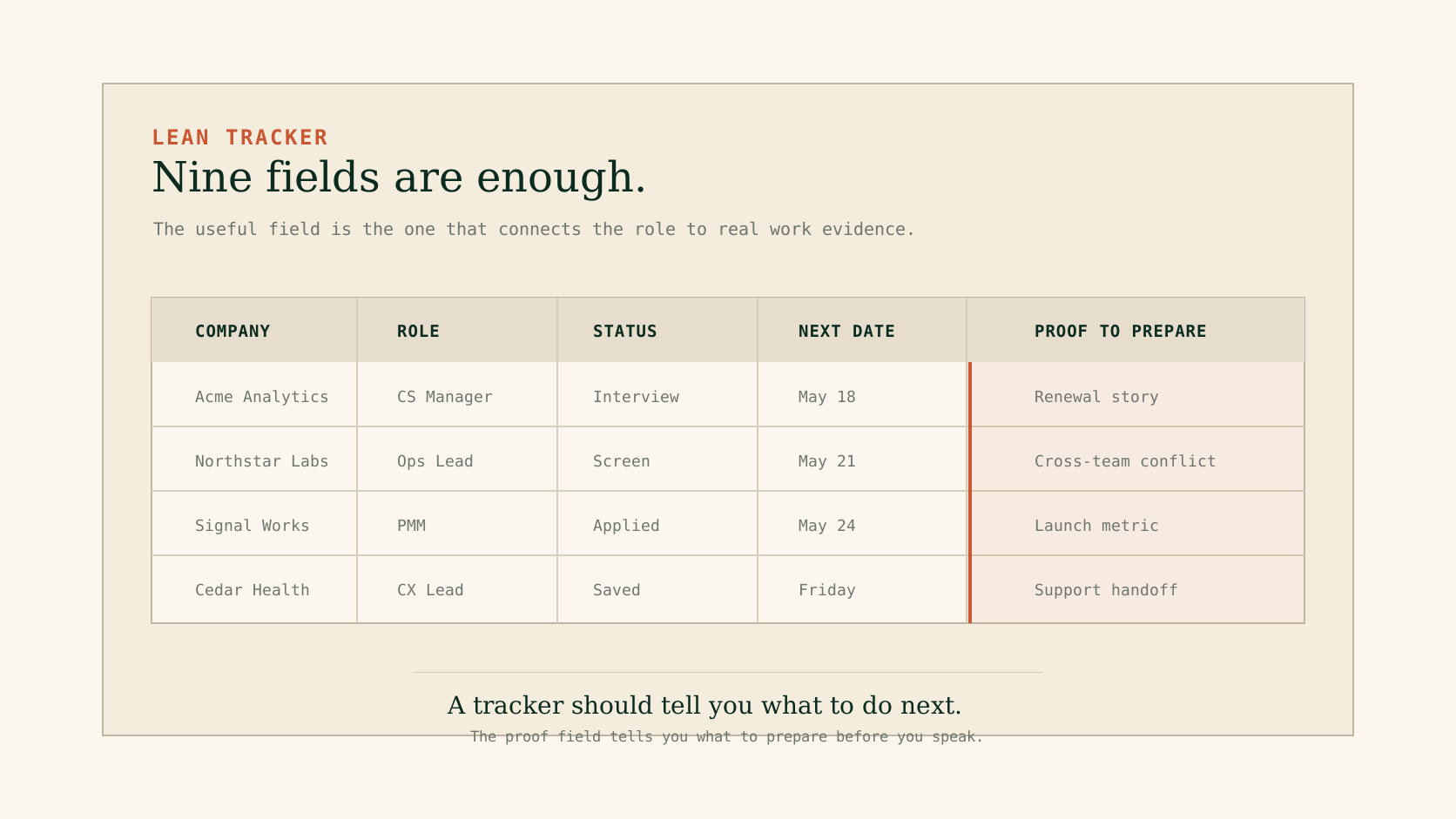
The tracker should stay boring. The important move is adding one field that links each serious role to the evidence you need before the next call.
What to skip
The easiest way to ruin a Notion job application tracker is to overbuild it. These fields look smart in a template, but they usually become maintenance debt:
Overbuilt tracker
Company score, culture score, compensation score, seniority score, keyword match, recruiter warmth, resume version, cover letter version, source channel, priority, confidence, notes, tags, sub-tags, and three views for the same list.
Usable tracker
Status, next date, next step, contact, fit note, proof to prepare. Enough to reopen the tracker on Friday and know exactly what changed.
Use scoring only if it changes a decision. If a field never changes what you do next, remove it. If two fields answer the same question, merge them. If a view exists because it looked nice in a template gallery, delete it until you need it.
Notion can support complex setups. That is not the issue. The issue is whether the setup survives a normal job-search week: two applications, one rejection, one recruiter message, one role you are not sure about, and a real job you still have to do.
The handoff from tracker to evidence
Pipeline tracking and career evidence are different jobs.
Notion tracker
Answers: Where am I in the process? Who do I owe a reply to? What is the next deadline?
Career journal
Answers: What have I actually done? Which examples prove it? What details will I forget if I wait?
For every role that moves past "saved" or "applied," do a quick evidence handoff:
Read the role for proof requirements
Do not just scan keywords. Mark the work situations the role will probably test: ownership, ambiguity, stakeholder management, analysis, leadership, technical judgment, sales motion, customer work.
Pick two real work moments
Choose examples before you start rehearsing. If you need help shaping them, use a STAR story bank rather than inventing a polished answer from memory.Add the evidence link back to Notion
In the "proof to prepare" field, write the short label for each story. You do not need the full answer in the tracker. You need enough to find the evidence fast.
This is the Koru-specific angle: a job-search system should not only manage applications. It should protect the raw material behind them. The tracker handles the pipeline. The journal handles the proof.
A simple weekly review
Once a week, spend 15 minutes cleaning the tracker. Do not redesign it. Just run the list:
| Question | Action |
|---|---|
| Which roles changed status? | Move them once. Do not create duplicate rows. |
| Which roles need a follow-up? | Add one next date and one next step. |
| Which roles are no longer worth it? | Close them. Keep the note brief. |
| Which interviews are coming up? | Add 2-3 proof labels from your career journal. |
| Which applications taught you something? | Add one note you can use next time. |
Notion tracker or career journal?
Use this decision table instead of trying to make one tool do everything.
| If you need to... | Use Notion for... | Use a career journal for... |
|---|---|---|
| Manage open applications | Status, dates, contacts, links | Not necessary |
| Prepare for interviews | Scheduling and role notes | Real examples, STAR stories, hard moments |
| Improve your resume | Which role each resume targets | Evidence behind the resume bullets |
| Follow up with recruiters | Dates, names, last message | Specific proof you can reference |
| Learn from the search | Outcomes and source quality | Patterns in your work, strengths, gaps |
Where Notion is enough
Notion is enough if your search is small, you already use Notion every day, and you mainly need one place to see role status. It is especially reasonable if you enjoy maintaining your own system and want the tracker next to your notes, research, and personal planning.
It is less useful if every application turns into a scramble to remember what you have done. A better tracker will not fix that. It will only make the scramble easier to schedule.
There is also a practical AI limit worth knowing. Notion's help page for creating databases says Notion AI cannot create pages in a database, database automations, forms, charts, or database page templates. In other words, do not assume the AI layer will design and maintain the whole tracker for you. You still own the workflow.
The cleanest setup
The cleanest setup is boring:
- A Notion database for applications.
- A weekly 15-minute review.
- A "proof to prepare" field.
- A separate career journal or story bank for real work evidence.
That setup has a reason to exist even if you never sign up for Koru. It gives you a cleaner job search this week and better interview material later.
Related reading
Comparison
Notion Career Journal Template vs Koru
Compare a Notion career journal template with Koru for career tracking, brag documents, STAR stories, and interview preparation.
Career Development
Best Career Journal Apps in 2026
Compare the top career journaling apps for tracking achievements, preparing for interviews, and building your professional narrative. Tested and reviewed by career development experts.